
View and take attendance
In Attendance records you can view attendance statistics by date and team, and take attendance for a chosen activity.
Where to find this
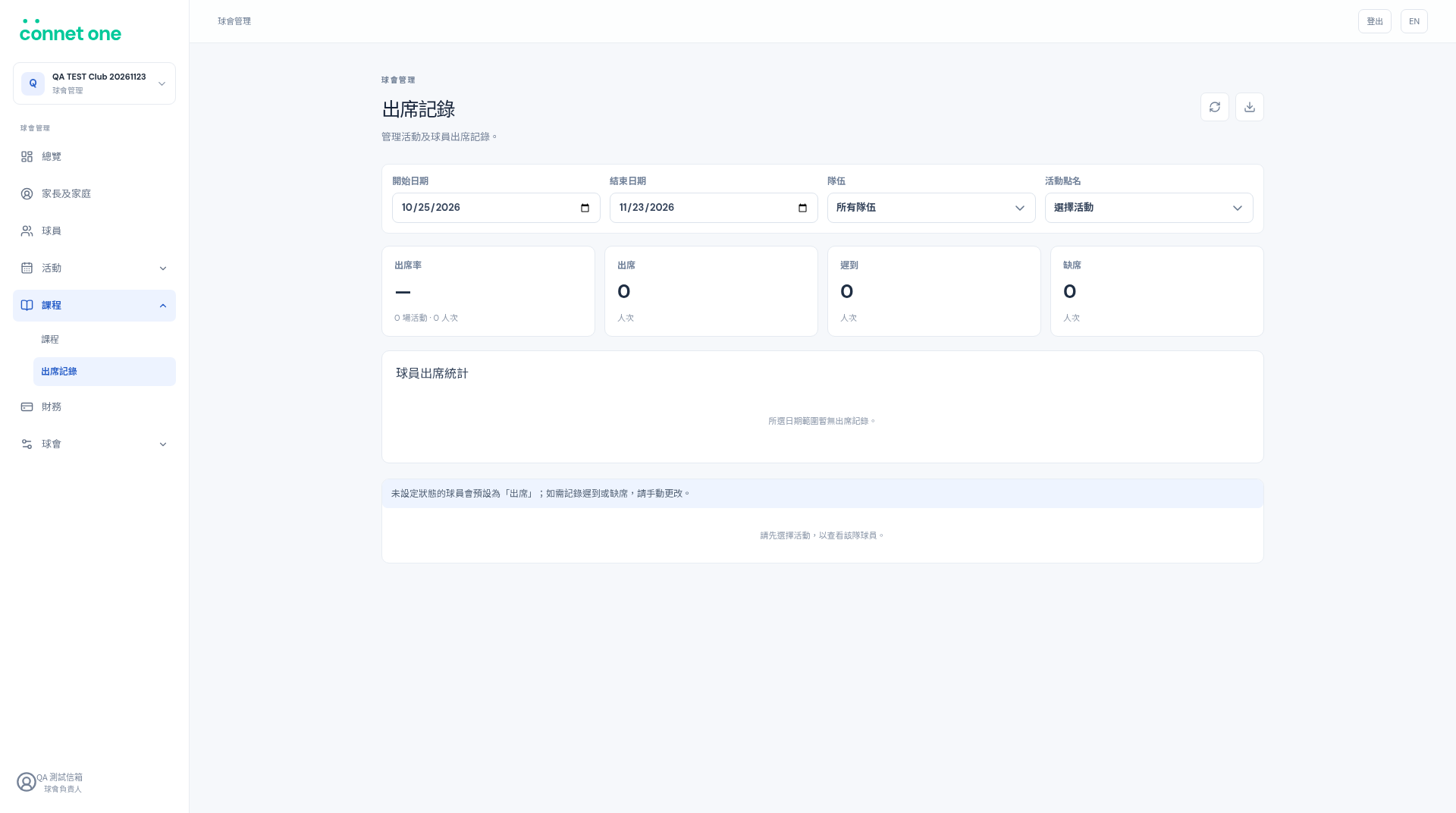
In the left-hand menu, select Courses, then the Attendance records sub-item.
The page heading is Attendance records, and the description is: "Manage activity and player attendance records." The buttons are Reload and Export data.
How to view statistics
- Set Start date and End date, and choose Team if needed. The default team is All teams, and activity roll-call is Select activity.
- In Attendance statistics overview, view the attendance rate, and the numbers of present, late and absent attendances.
- Player attendance statistics lists results for the selected date range. If there are no records in that range, it shows "No attendance records in the selected date range."
The page description is: "Players whose status has not been set default to Present; to record late or absent, change it manually." There is also: "Select an activity first to view that team's players."
How to take attendance for an activity
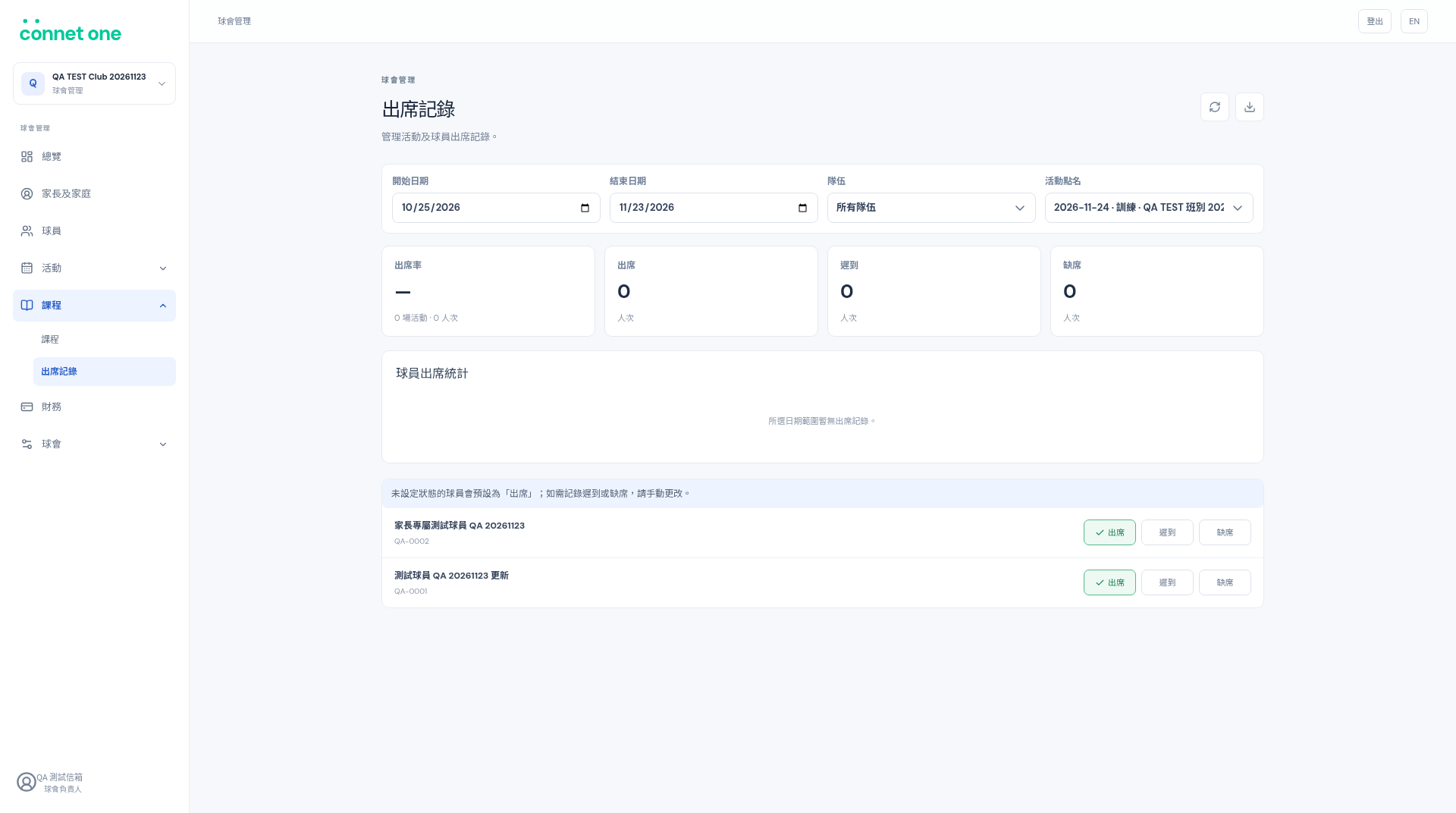
- In the Activity roll-call drop-down, choose the activity you want to take attendance for.
- After you select it, that team's player rows appear, along with Present, Late and Absent buttons. If it has not been set separately, Present appears selected.
- If the person was actually late or absent, select the matching button to change it.
- You can select Reload, then confirm whether that activity's status has been updated.
What you will see afterwards
After you select an activity, you can see that team's players' attendance status. If you have not changed it manually, the status defaults to Present; this is the default when it has not been set, and does not mean attendance has already been taken person by person.
Please note
To record late or absent, change it manually; do not rely only on the attendance rate figure. The statistics overview is affected by the start / end dates; if the activity date is outside the selected range, the overview may show no records yet, but you can still select that activity in Activity roll-call.