
View courses, trial lessons and lessons
In Courses you can view the classes a player is already in, fees, trial status, and scheduled lesson times. This page is for parents to view; you cannot enrol a player here.
Where to find this
In the left-hand menu, select Courses, then the Courses sub-item.
How to view classes and trial lessons
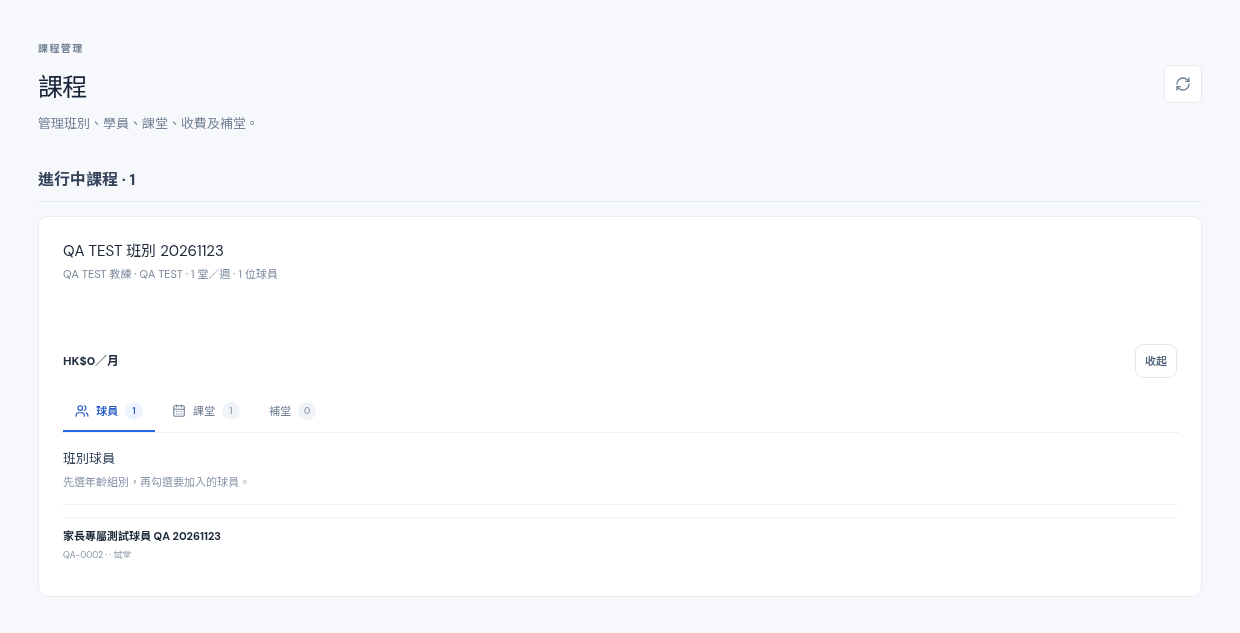
- After you open the page, the heading is Courses. The page shows the number of In-progress courses.
- After you expand a class, you can see the class name, coach, weekly lesson count, number of players, and the monthly fee (for example HK$0/month).
- Inside the class there are Players, Lessons and Make-up lessons tabs; the numbers show the current record counts.
- In Class players on the Players tab, you can see the names and IDs of players already in that class, and their status (for example Trial).
- To collapse the class details, select Collapse.
- To refresh, select the circular arrow button at the top-right.
How to view lesson times
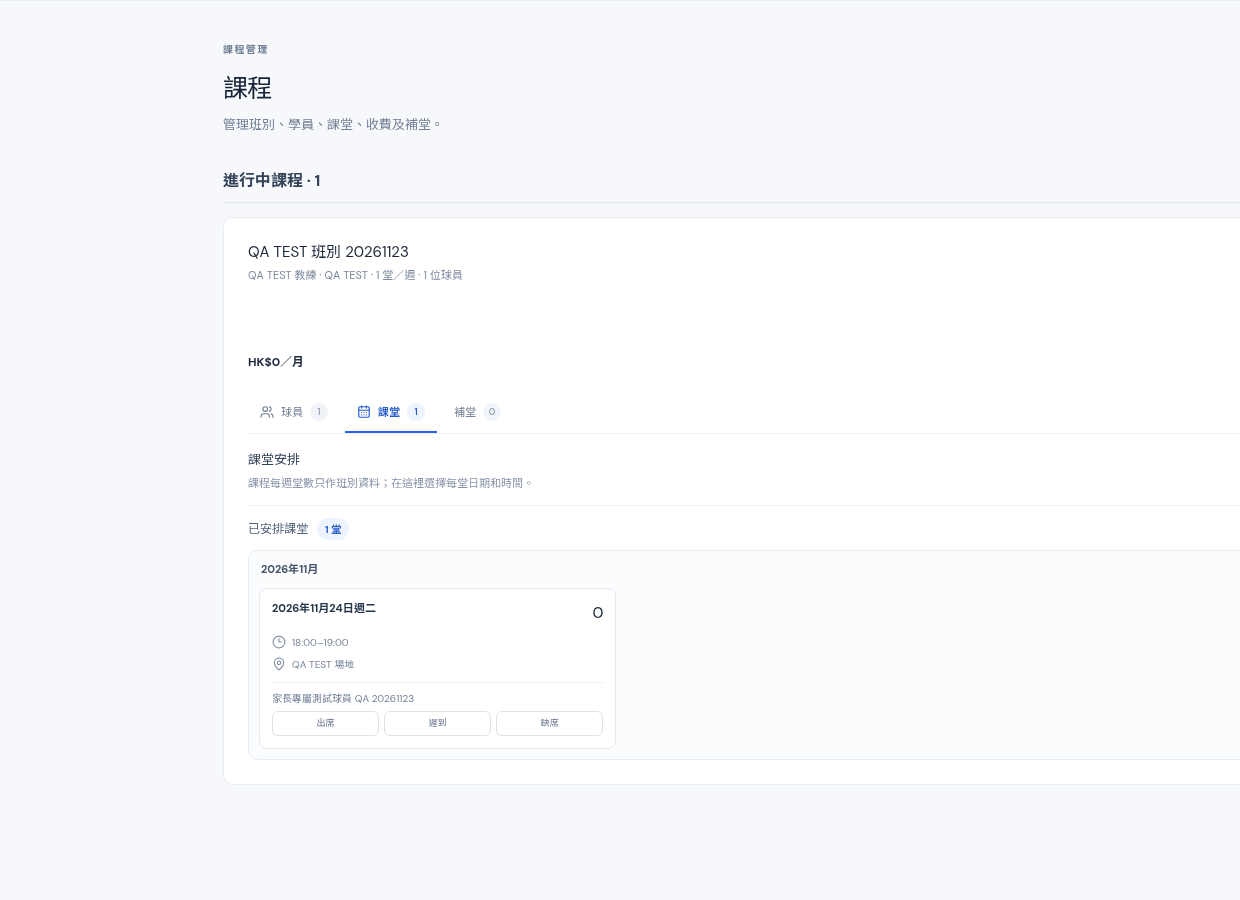
- In an expanded class, select Lessons.
- Lesson schedule lists the date, time and venue of scheduled lessons, and the players related to that lesson.
- Present, Late and Absent buttons may also appear on a lesson card. To choose attendance status for a family member, it is better to do this in Attendance records; see the steps in Choose and change attendance status.
- Select Make-up lessons to view make-up records; if the number is 0, there are currently no make-up lessons.
About this lessons tab screenshot
The lessons tab content was captured earlier on 23 November 2026 (Hong Kong time). When the courses page was opened again later the same day, the page heading and description were the same, but this tab was not captured again.
What you will see afterwards
You will see whether a player has already joined a class, whether they are official or on a trial, and the lesson times and venues. Even if the screen shows text such as "Select an age group first, then tick the players to add.", the parent screens do not have buttons to tick or add players.
If you need to change enrolment
To enrol a player, change class, end a trial, or arrange a make-up lesson, contact the club.